Brightfox Support
Appearance
Listings
Import/Export Property Listings
To learn how to bulk import or export your Listings, please refer to the Importer guide.
Edit a Property Listing
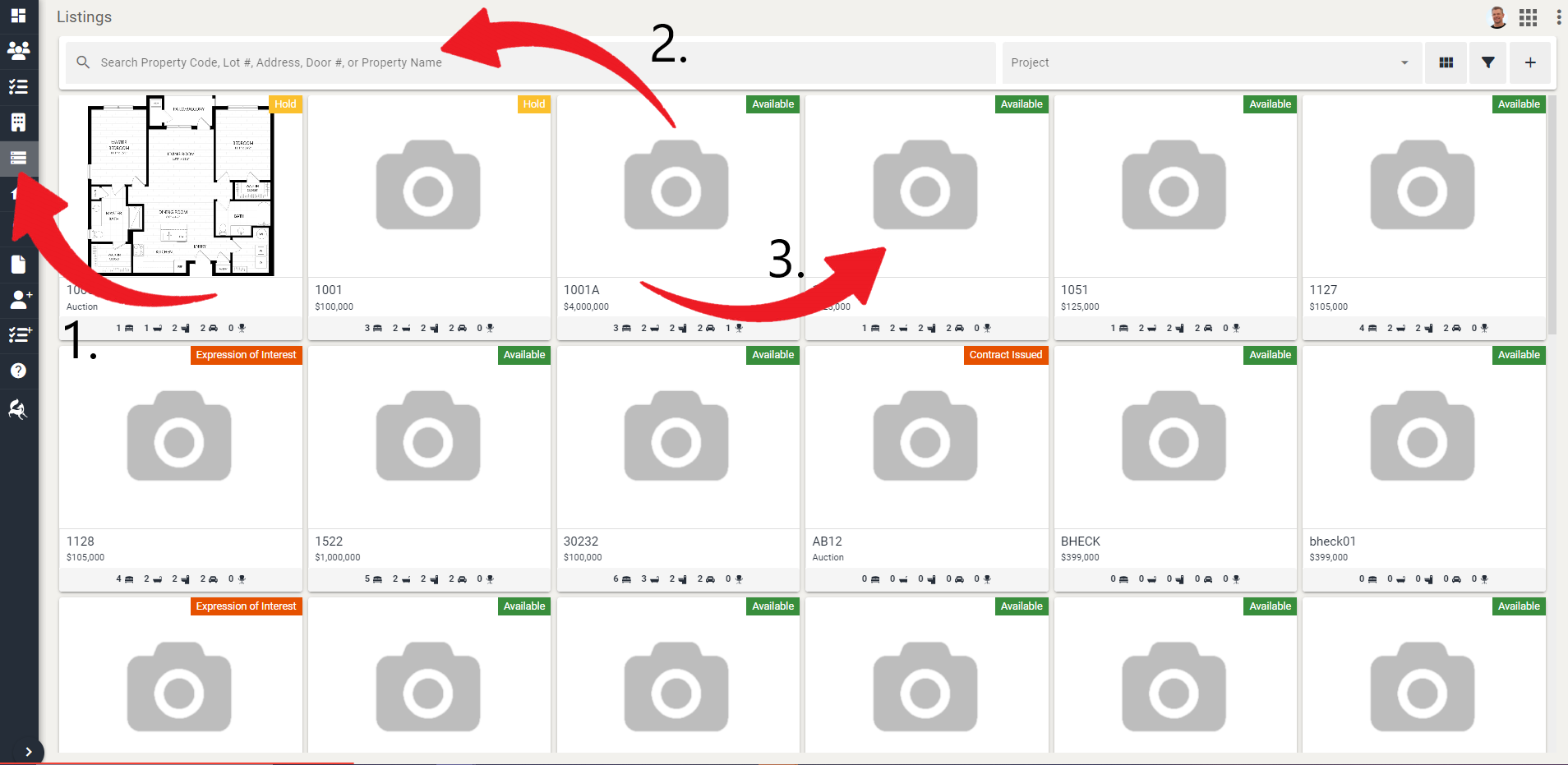
Navigate to Listings tab.
Locate or use the search function to find the property listing that you want to edit.
Click on the property listing.
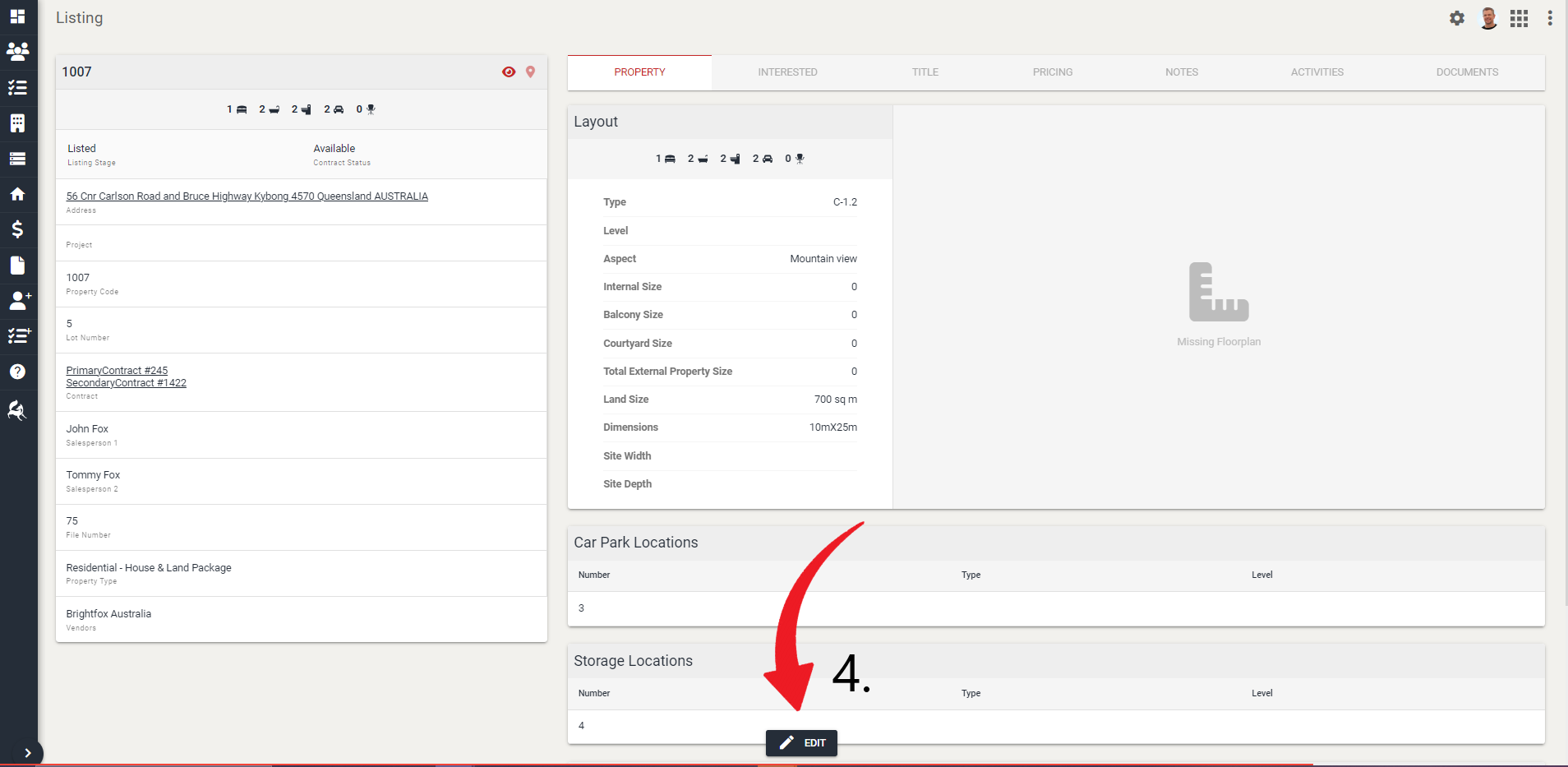
- Click Edit at the bottom-center.
- Edit the information as required and click Save
Change Listing Price
Navigate to Listings tab.
Locate or search for the contact you want to edit.
Click on the listing you want to edit.
Scroll down to Display Pricing.
Select whether you want fixed pricing or a price range.
Enter the new pricing for the listing.
Click Save.
Colour Specification Form History
- Navigate to Listings from the sidebar.
- Locate the Listing you want to view the Colour Specification Forms of.
- Click on the Documents tab.
- Here you will find the history of Colour Specification Forms. You can download it by clicking on it and then the download button.
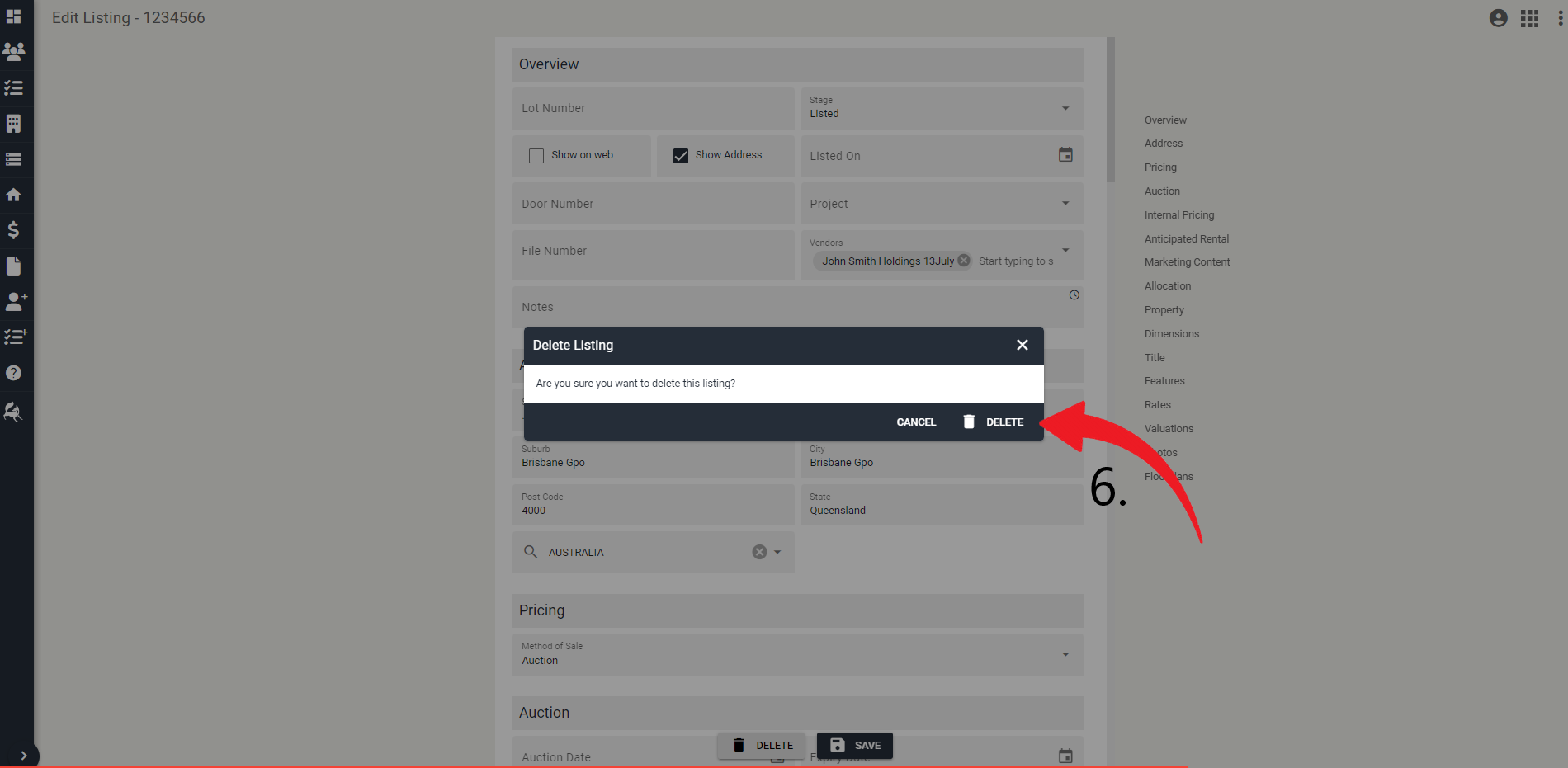
Delete a Listing
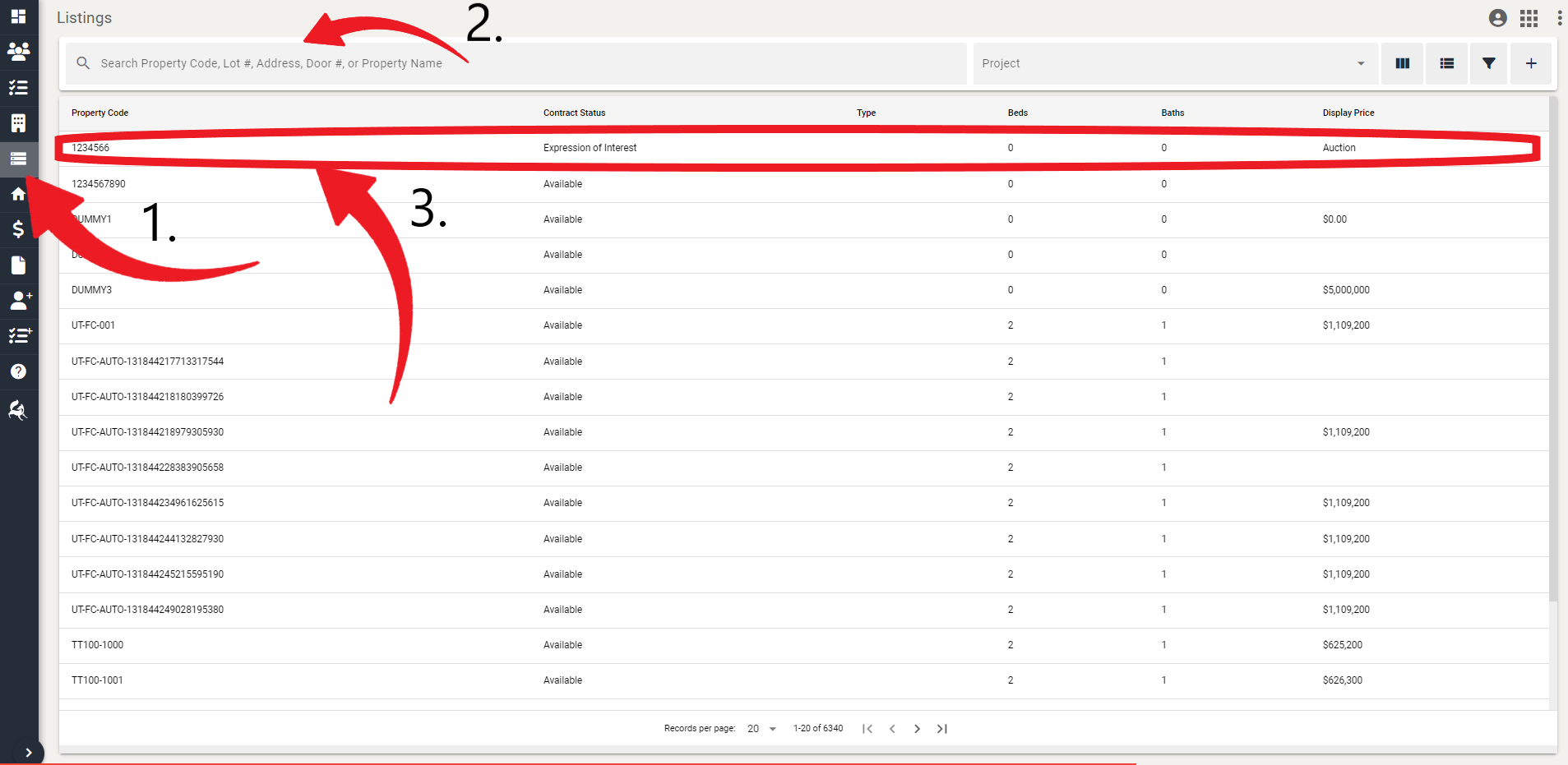
Navigate to Listings tab.
Locate or search for the property listing you want to delete.
Click on the property.
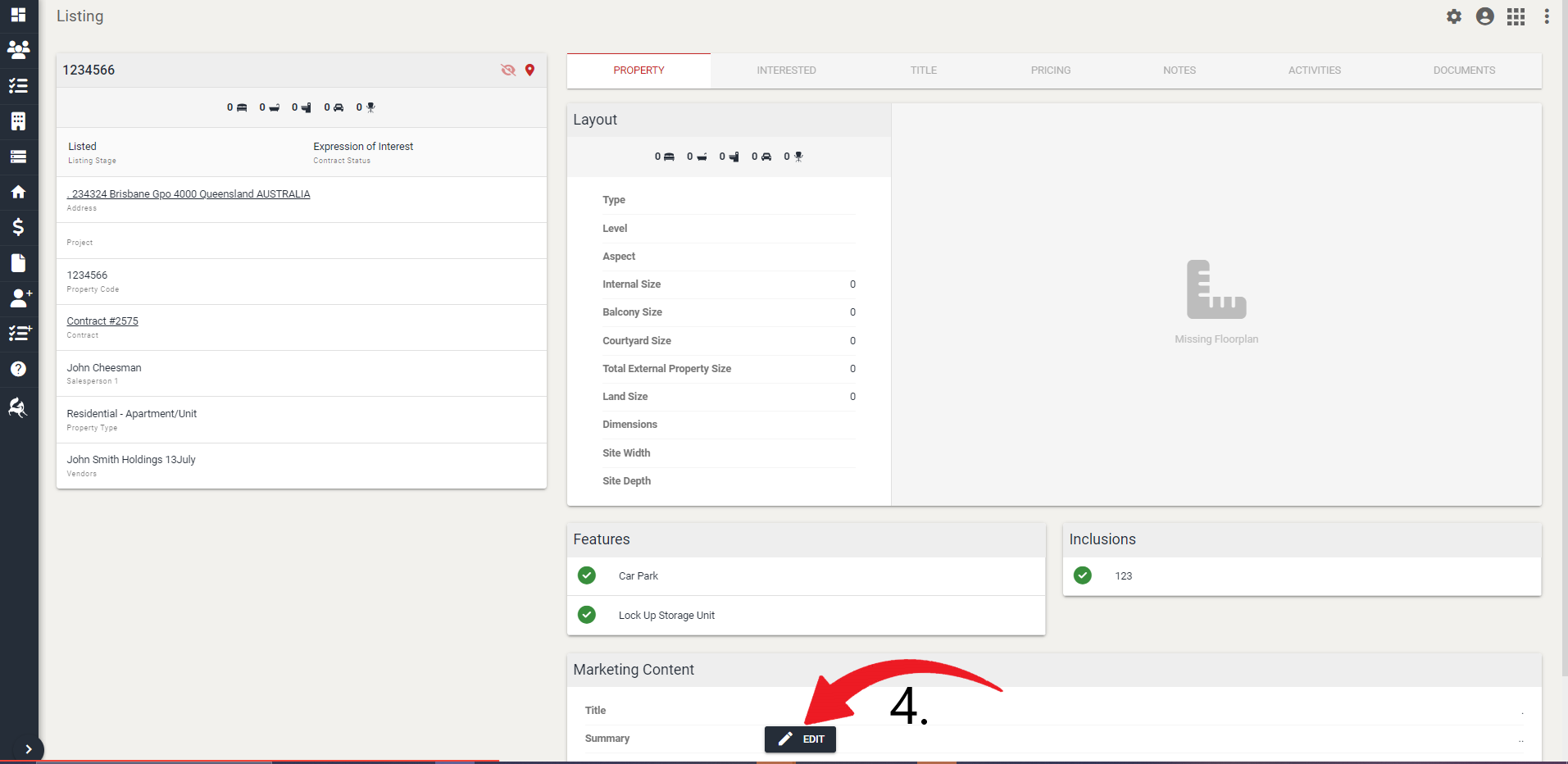
- Click Edit.
- Click Delete.
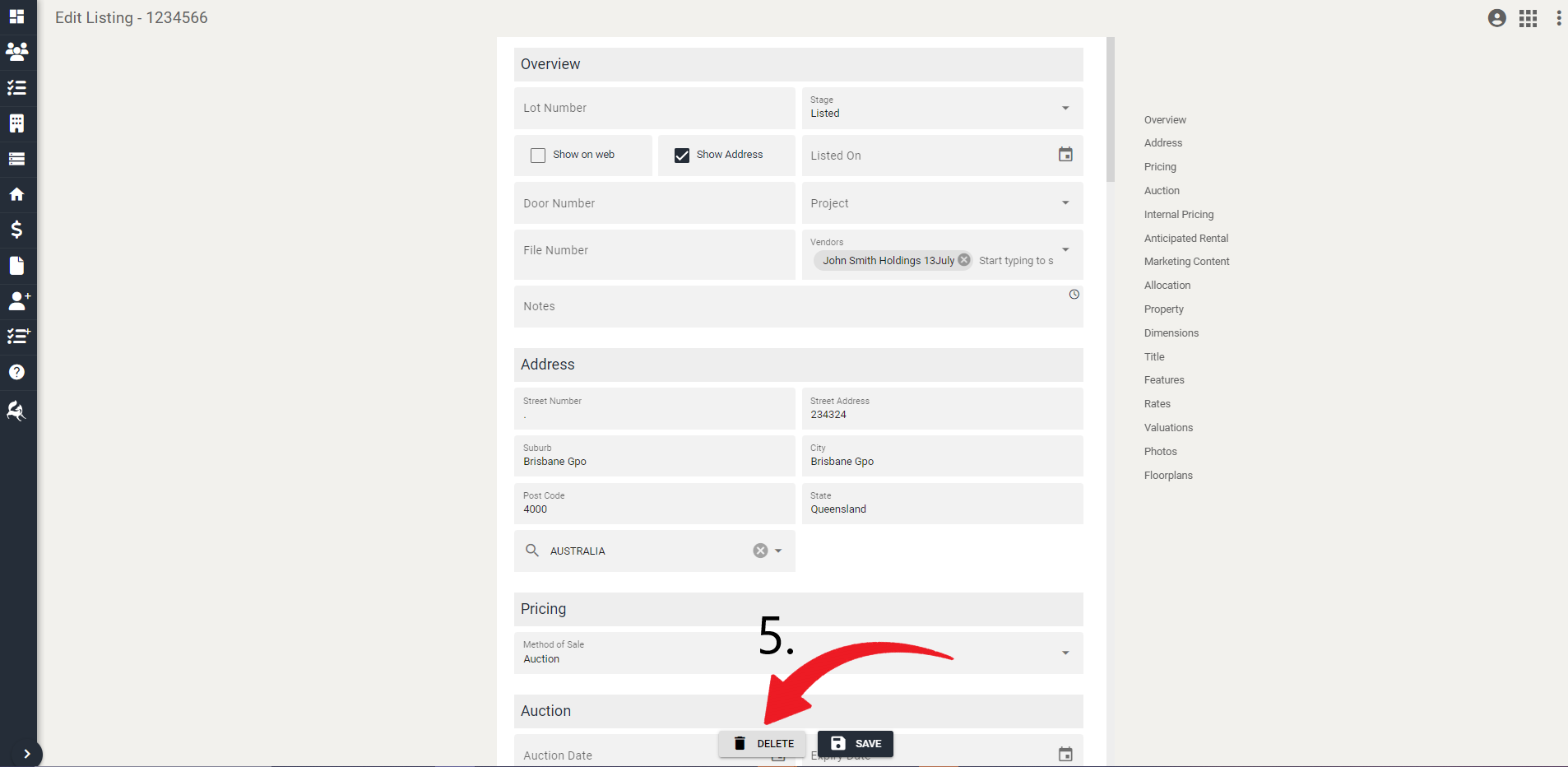
- Click Delete.