Brightfox Support
Appearance
Projects
Add a Project
Navigate to Projects tab.
Click on the + icon in the top right corner.
Add the Project name into the pop-up box that opens.
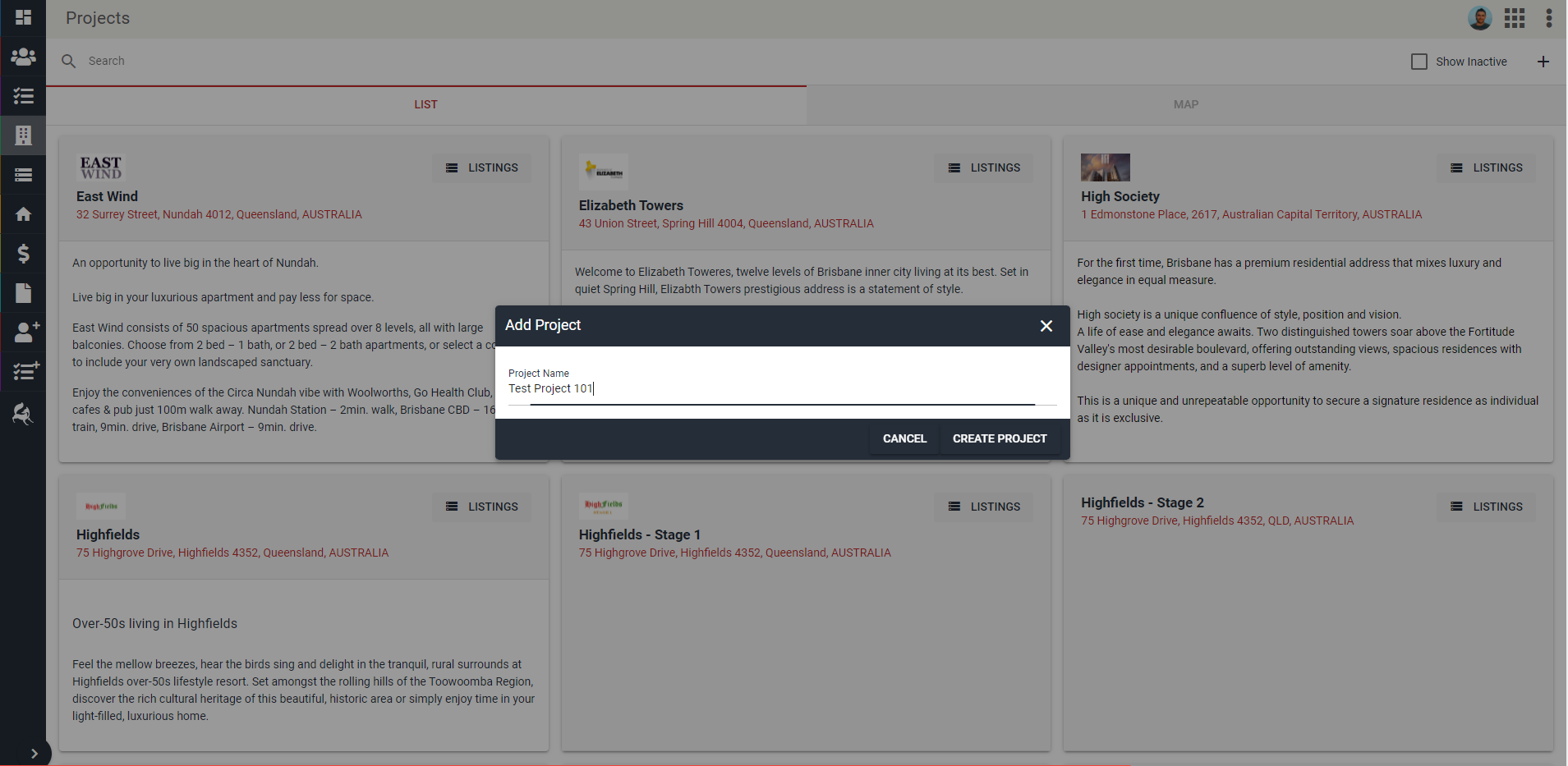
Click Create Project.
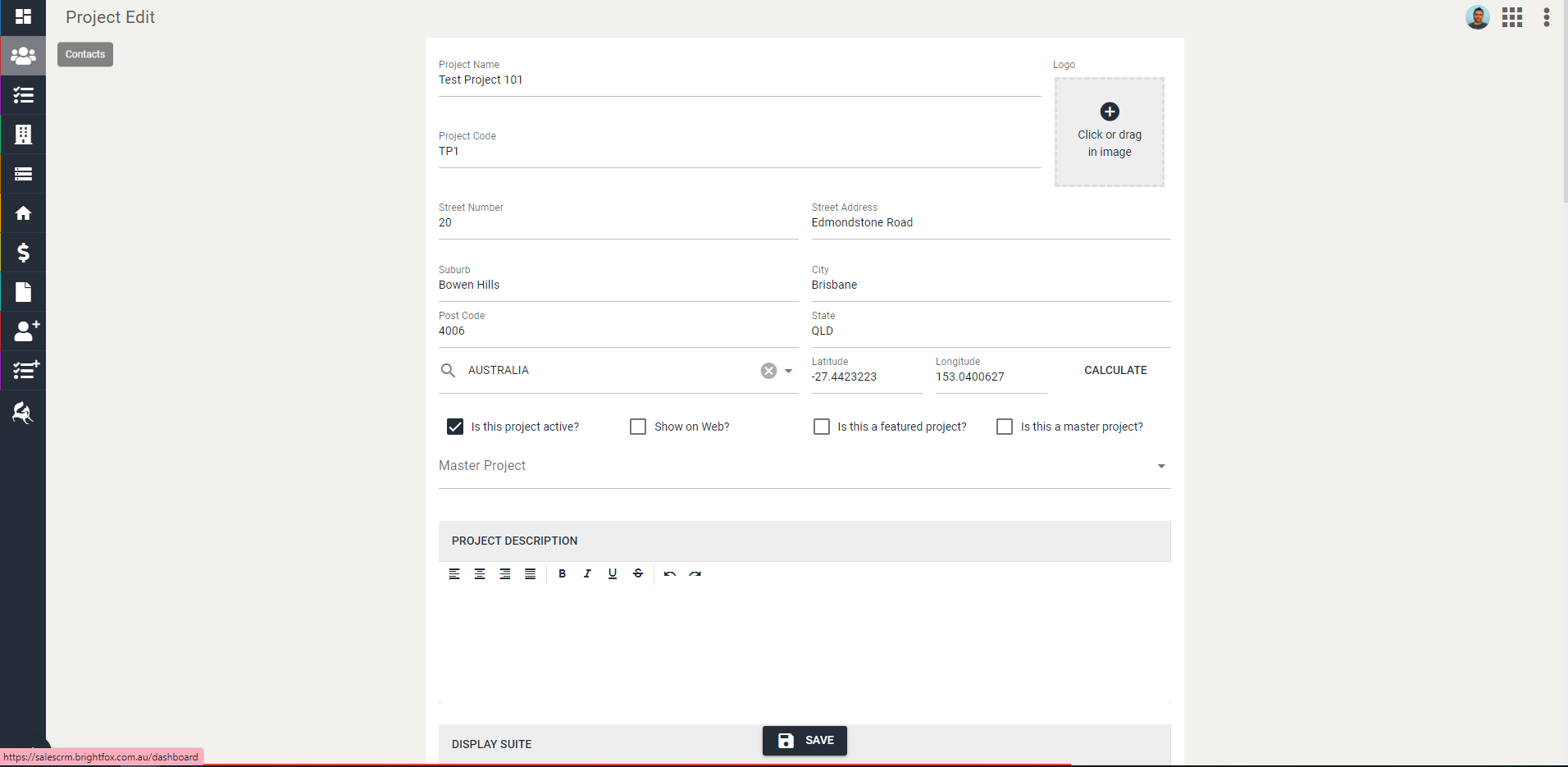
Edit the information as required.
INFO
Minimum requirements will include:
- Project Code (if you are unsure about the format used for this, check previous Projects within your company. Most people will use a three or four letter code as the Project Code)
- Address information
- Whether the project is 'Active', needs to 'Show on Web', 'Featured' or a 'Master Project'
- Who is on the Sales Team
TIP
The more information you add in, the better it is for you and your Sales Team.
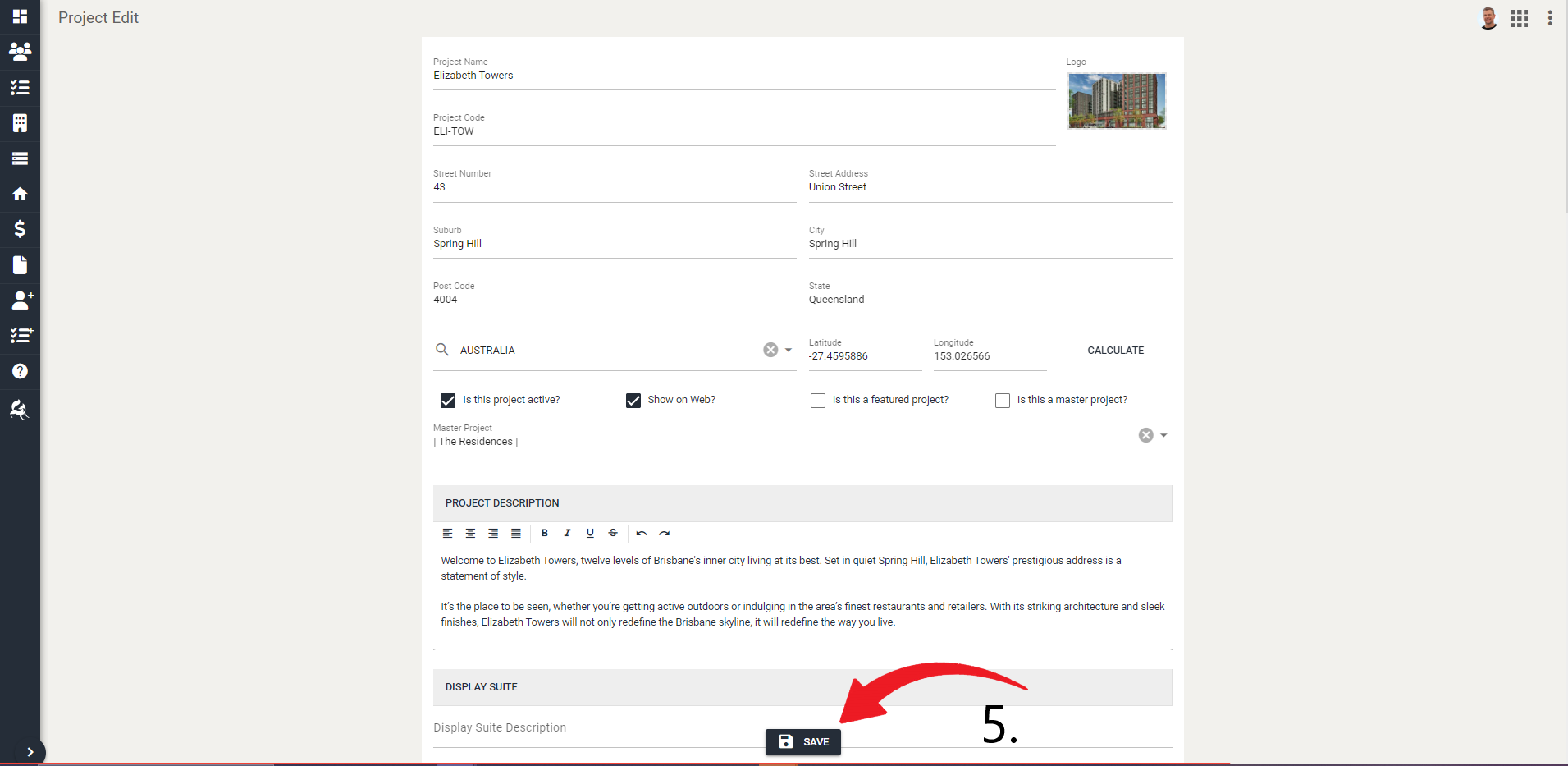
- Once you are happy, click Save. The project will now be saved and visible to anyone who has permission to view it.
Edit a Project
Navigate to Projects tab.
Locate or use the search function to find the project you want to edit.
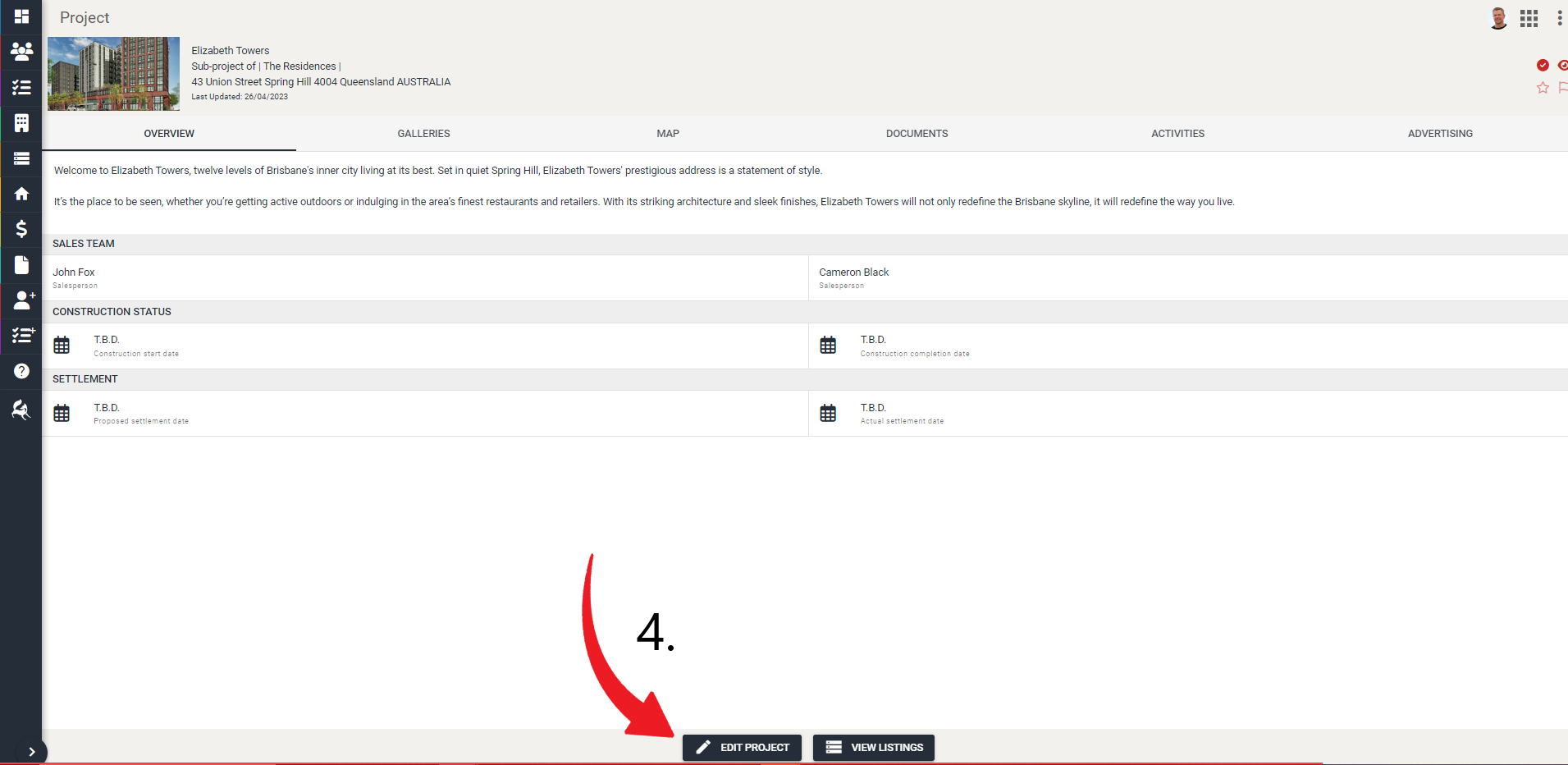
Click on the project.
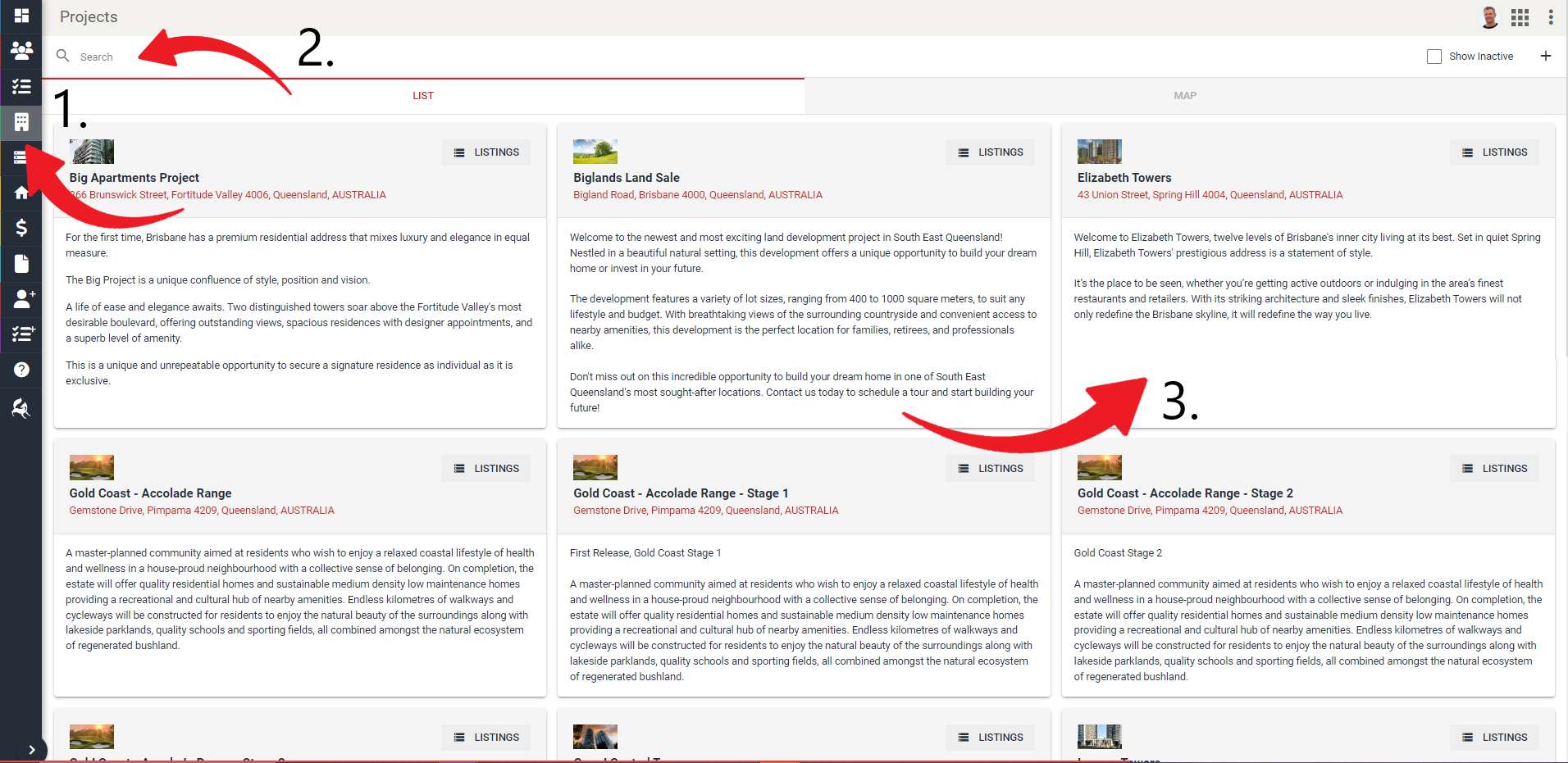
- Click Edit Project at the bottom-center.
- Edit the information as required and click Save